


INTELLIGENT MOBILE FORMS APP
Great field outcomes start with well-equipped technicians
Ensure data quality at the point of capture with a connected app that makes field intelligence possible

Field intelligence is only possible when you can see what’s happening on the ground
Generate actionable insights from your operations by making every field action visible. Capture AI-ready data that lends itself to analytics that move the needle.
Give your technicians a mobile experience they can’t do fieldwork without. TrueContext covers the entire data value chain from high-fidelity information to field intelligence you can leverage for continuous optimization.



“The ability to track what any individual worker is doing or encountering in the field and then rapidly disseminate that information is a great advantage of using TrueContext.”

Chris Stevens
Director of Process and System Integration

Guided service execution that only gets better
Dispatch technicians who arrive at job sites fully informed and ready to inspect, diagnose, and get assets up and running at the first interaction. No hunting for buried data or calling HQ for further instructions. Every completed job becomes a data point, feeding an intelligence layer that optimizes future service, integrates AI-assisted execution, and surfaces better point-of-need insights.
Built for the technician first
Equip frontliners with a mobile platform that gives them all the right reasons to use it. Job context arms technicians with complete asset history and service records that makes diagnostics straightforward. In-workflow guidance eliminates missed steps and unnecessary risk. Online and offline, TrueContext delivers an experience that mirrors how your technicians behave on the ground and solves the tension between admin and fieldwork.

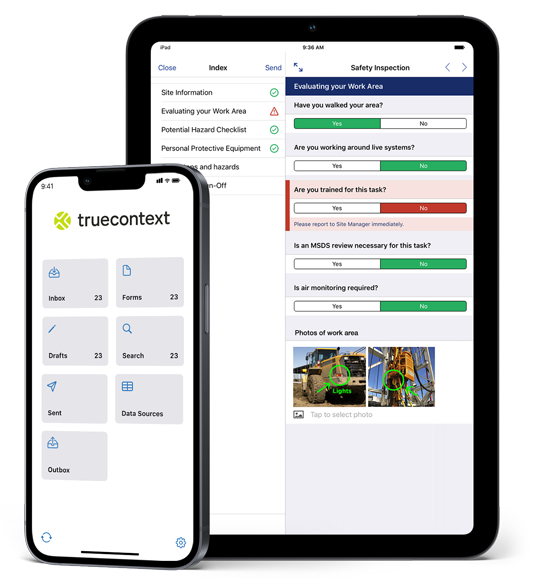
You can only trust operational intelligence if you can trust the data it’s based on. Simplifying data capture eliminates that doubt by making the process as easy as possible under any field condition.
Dropdowns, barcodes, and GPS coordinates — all collected within the same guided experience. The forms validate entries as technicians work, catching errors before they become problems in the field and elsewhere.
Intelligence-ready data starts with having the right tools to capture it. Each of these inputs is a data point that helps your organization operate better over time.
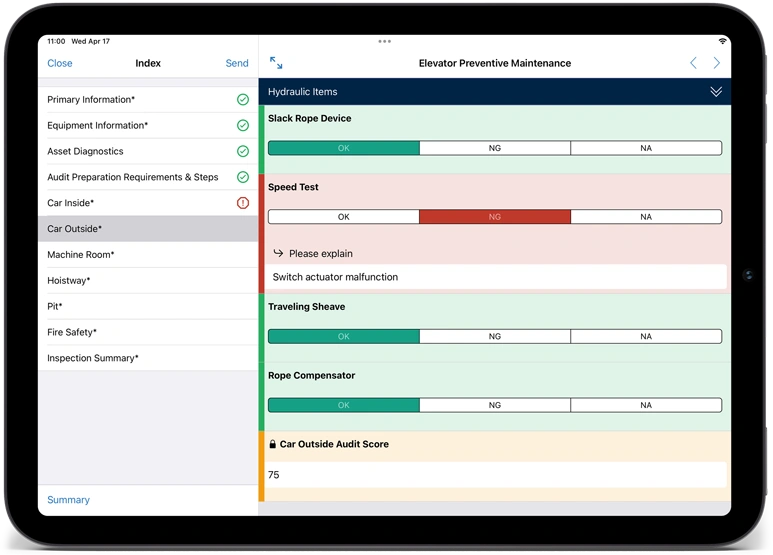
Drive operational excellence at the field level, focusing on individual job steps to lift performance organization-wide. Scale expertise by making institutional know-how directly accessible to less experienced technicians without requiring external assistance.
Empower your field teams on high-stakes jobs like leak detection, a medical device compliance check, or a safety inspection in a hazardous environment with workflows that automatically enforce regulatory frameworks step by step. No need to memorize complicated sequences or interrupt work to figure out what comes next.
TrueContext workflows simultaneously guide frontline workers and capture the context of each job from specific asset readings to service decisions made. This executional data creates intelligence value that goes beyond the individual job.
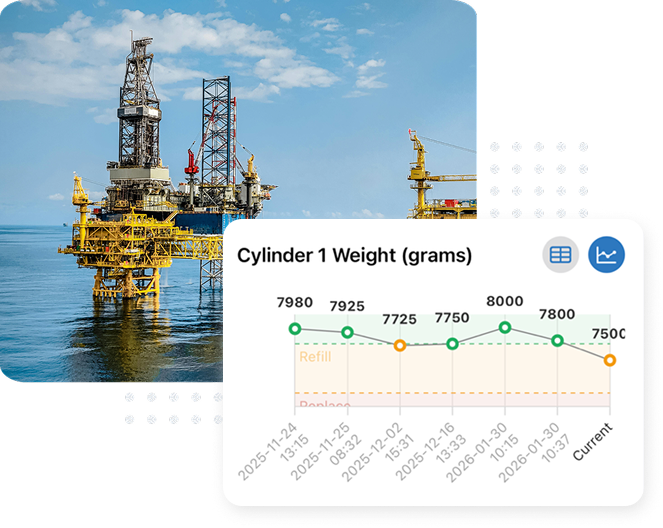
Work History surfaces contextual service records and field measurements — asset, site, and data history — all within the active workflow, when your technicians need it. No more searching disconnected records, digging through piles of paper or calling HQ to get the answers technicians need.
When a technician opens a workflow, everything that’s ever happened to the asset, the site, and customer is made visible. They know previous failures and causes, corrective measures taken, and historical readings that act as clues for when the next one could be. And when they have to switch devices mid-workflow, Work Anywhere ensures drafts are saved at the user level, ready to be picked up seamlessly on another tablet or phone — without interrupting the job or losing previously completed work.
Every service call enriches field records and turns into intelligence for the next technician who works on the same equipment. AI models ramp up this cycle with predictions that meaningfully improve KPIs from first-time fixes to asset uptime.

Every part of our mobile forms app works without network connectivity. Our offline capabilities mean media capture, conditional logic, and data validation all function completely offline.
A technician inside a medical imaging room can complete a full inspection. A crew on an oil rig can document maintenance work. Field teams at remote industrial sites stay productive even when they can’t connect.
When the network comes back, everything syncs automatically. No lost work, no manual workarounds, no frustration.
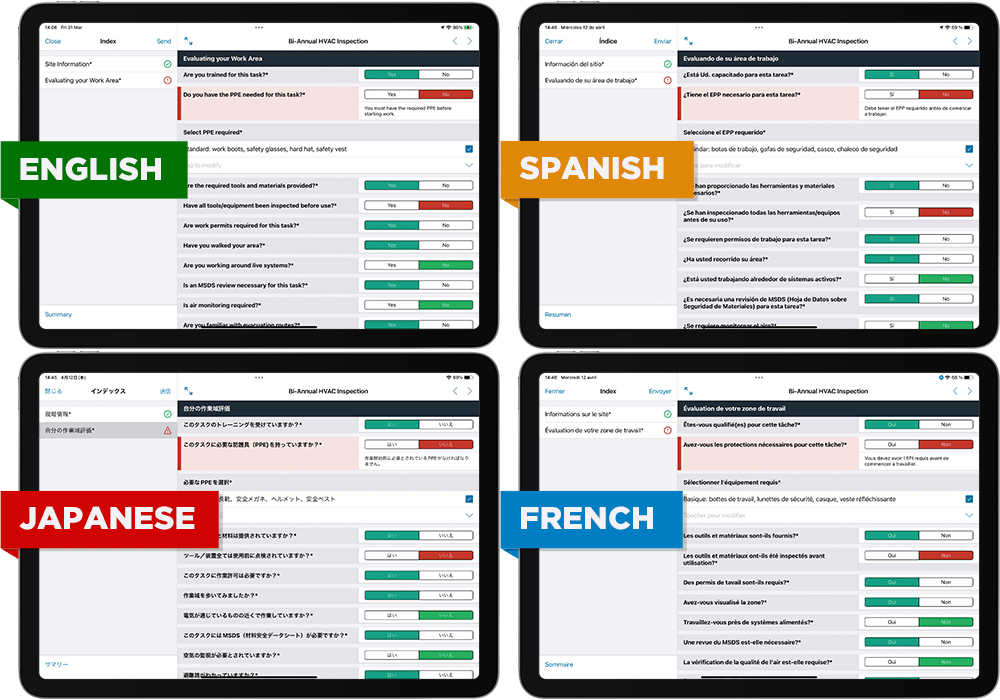
Field service teams – whether local, national, or global – are becoming increasingly diverse. Empower every technician to do their best work in their native language, reducing misunderstandings and improving service quality.
Advanced data capture methods for real-world fieldwork
Here’s how TrueContext solves the field challenges teams see every day.

Dispatch
For critical, context-rich handoffs between technicians
Dispatch partially-completed workflows with notes and due dates to users in the field to minimize trips to the home base.

Maps & time stamps
For verifying field activity without question
Pin jobs to a map for an easy bird’s eye view of daily tasks and record the time and location of submissions for precision auditing.

Conditional logic & Repeatable sections
Know exactly the data your teams need to capture
With conditional logic, you can guide your teams at every step of every job, including what data they need to capture, so nothing gets missed. Repeatable sections make data collection even easier by adding new entries within the page instead of scrolling through repetitive form sections.

Photos & sketches
For documenting exactly what was found and where
Capture pictures, and tag or sketch on top of them to highlight key details without ever leaving the form.

Camera-to-text
For capturing hard to type data without errors
Capture photos with OCR and tap highlighted text to input character strings or sentences directly into forms.

Document scanning
For extracting data from paper records on the ground
Scan multi-page documents, reports, or contracts with a camera. Convert directly into PDFs to support traceability or compliance requirements.
Every step of every job — done right
Eliminate guesswork in the field, no matter how complex the job is. TrueContext guides your teams on the fastest and most accurate way to complete a job without missing any critical steps. Conditional logic directs the sequence of the workflow, making sure that your technicians handle exceptions with ease should conditions deviate from normal. Diagnosing issues become easier with live context and insights surfaced within the workflow — so hands stay on tools rather than on the phone.

Mobile forms built and deployed right from the ops desk
TrueContext’s low-code architecture eliminates the need for IT dependence or long development wait times. Operations teams can build, deploy, and iterate workflows in minutes. Changes go live in real-time so technicians don’t get bogged down by competing versions of the same form.
The forms your technicians rely on, built for mobile in a fraction of the time
A great field experience starts with a well-built form, and building one shouldn’t take hours. With AI Form Builder, you can upload a document you already have, a PDF, Word SOP, Excel sheet, inspection checklist, or even a photo, and it generates a working TrueContext form draft within minutes. It maps your questions, structure, and conditional logic automatically. Less time building forms, more time putting intelligent, field-ready workflows in your technicians’ hands.
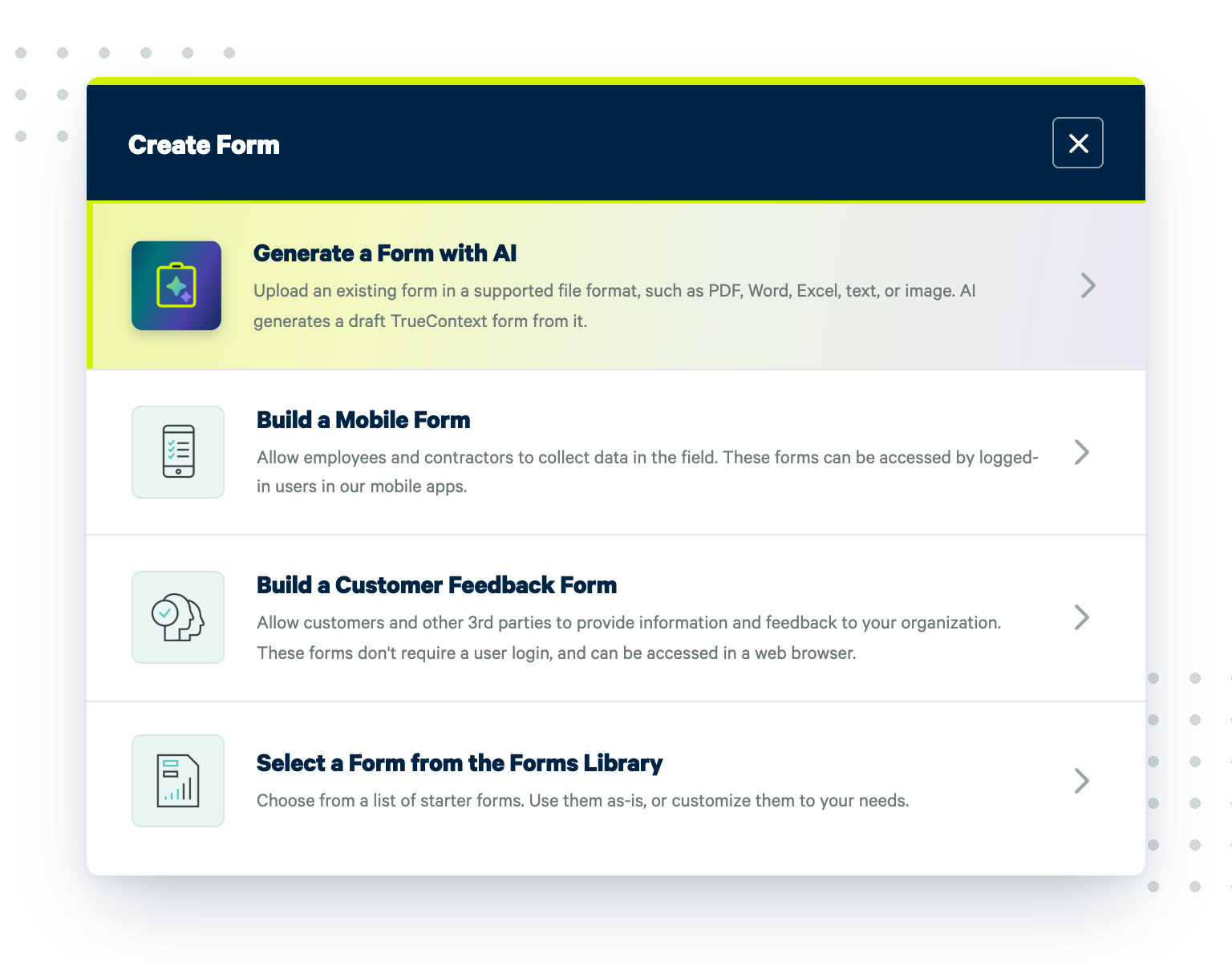
Enterprise-grade security and compliance you can trust
Protecting your field data is essential, not optional. TrueContext ensures over 99.9% uptime through rigorous monitoring, proactive incident response, and robust disaster recovery practices. You get:
- Guaranteed data security by TLS 1.2 encryption in transit and AES 256 encryption at rest.
- Regular training, secure coding practices, extensive code review, and third-party penetration testing ensure your app remains resilient against emerging threats.
- Fully certified for HIPAA, SOC 2 Type II, and FDA regulations.
Industry-specific mobile form solutions

Keep critical medical assets online and in compliance
Servicing sophisticated medical devices demands strict adherence to regulatory standards and meticulous documentation.
Ensure critical medical equipment stays compliant and operational with precision-focused workflows.

Fuel asset uptime and performance across all streams of oil & gas production
In the oil and gas sector, safety and compliance are paramount; however, field operations often occur in remote locations with limited connectivity.
TrueContext’s mobile forms app offers offline capabilities, allowing technicians to capture critical data and perform inspections without interruption.

Power asset performance and human safety in industrial field service
Managing complex machinery and equipment requires precise data collection and maintenance tracking.
TrueContext empowers industrial teams with customizable mobile forms that facilitate accurate inspections, maintenance logs, and real-time reporting.

Break new ground in productivity, quality, and safety
Field technicians often encounter disconnected systems and manual paperwork, leading to inefficiencies and errors.
TrueContext’s mobile forms app streamlines these processes, enabling real-time data capture and seamless integration with back-office systems.
Case Studies
Leading companies are powering their field force for productivity

Still have questions?
Book a 15-minute chat to learn how you can make TrueContext work for you.